


What Is Internal Salesforce? A Practical Guide to Inside Sales and CRM Systems (2026)
If you’ve come across the term internal Salesforce, it can be confusing at first. Some people assume it refers only to software, while others think it’s about a sales team. In reality, it’s a combination of both.
In practical business terms, internal Salesforce usually refers to an internal sales team that uses a CRM system like Salesforce to manage leads, customers, and deals from within the organization.
This guide explains how it actually works in real business environments, why companies use it, and how it improves sales performance.
Understanding the Meaning of Internal Salesforce
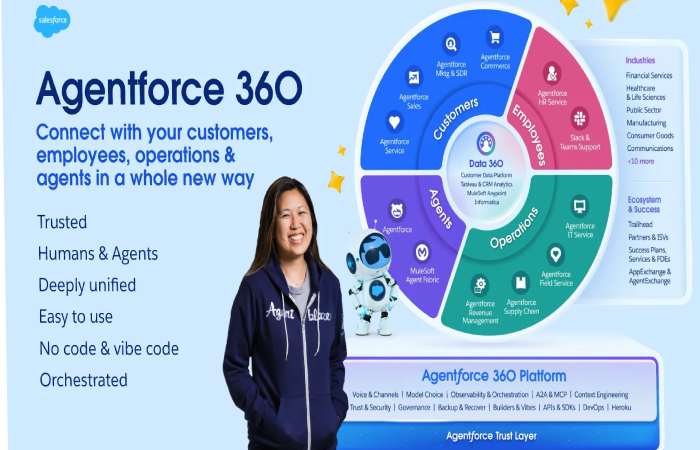
To understand internal Salesforce properly, you need to break it into two parts:
Internal (Inside Sales)
This refers to sales activities handled within the company, without face-to-face meetings. Communication happens through:
- Phone calls
- Emails
- Video meetings
Salesforce (CRM Platform)
Salesforce is a customer relationship management system used to:
- Store customer data
- Track sales activities
- Manage pipelines
- Monitor performance
Combined Meaning
Internal Salesforce refers to:
A structured internal sales process where teams use a CRM platform to manage the entire sales cycle digitally.
How Internal Salesforce Works in Practice
To make this easier to understand, let’s look at a real workflow.
Step-by-Step Process
- A potential customer visits your website and submits a form
- The lead is automatically stored in the CRM system
- A sales representative is assigned the lead
- The representative contacts the prospect via email or phone
- A demo or discussion takes place
- The deal progresses through stages in the system
- The customer is converted
All activities are tracked in one place, which gives full visibility to both the sales team and management.
Real-World Example
Imagine a software company selling subscriptions.
Without Internal Salesforce
- Leads are stored in spreadsheets
- Follow-ups are inconsistent
- Sales progress is unclear
With Internal Salesforce
- Leads are captured automatically
- Follow-ups are scheduled and tracked
- Managers can monitor performance in real time
This creates a more structured and efficient sales process.
Case Study: Improving Sales Performance
Situation
A mid-sized company was struggling with:
- Missed follow-ups
- Poor lead tracking
- Low conversion rates
Solution
They implemented an internal Salesforce system:
- Centralized all customer data
- Defined clear sales stages
- Automated reminders and follow-ups
Results
- Increased conversion rates
- Better team coordination
- Faster sales cycles
The improvement came from better organization, not more effort.
Key Components of Internal Salesforce
To fully understand how it works, it helps to break it into core elements.
1. Internal Sales Team
This includes roles such as:
- Sales Development Representatives (SDRs)
- Account Executives
- Sales Managers
Their job is to manage leads and close deals remotely.
2. CRM System
The CRM acts as the central system where all data is stored and tracked.
It includes:
- Customer profiles
- Sales pipelines
- Communication history
3. Sales Process
A typical internal sales process includes:
- Lead generation
- Qualification
- Product demonstration
- Negotiation
- Closing
4. Communication Channels
Internal sales relies heavily on digital communication:
- Phone
- Video conferencing
Internal Sales vs Outside Sales
Understanding the difference helps clarify why internal Salesforce is widely used.
| Feature | Internal Sales | Outside Sales |
|---|---|---|
| Location | Remote | Field-based |
| Communication | Digital | In-person |
| Cost | Lower | Higher |
| Speed | Faster | Slower |
Internal sales is more efficient for businesses that operate online or sell digital products.
Benefits of Internal Salesforce
1. Centralized Data
All customer information is stored in one system, reducing confusion.
2. Improved Productivity
Sales teams spend less time searching for information and more time selling.
3. Faster Sales Cycles
Digital communication speeds up the entire process.
4. Better Tracking and Reporting
Managers can track performance and identify issues quickly.
5. Cost Efficiency
No travel or physical meetings are required.
Common Challenges
Even though internal Salesforce is effective, it comes with some challenges.
1. Reduced Personal Interaction
Building relationships remotely can be more difficult.
2. Learning Curve
CRM systems require training and proper setup.
3. Data Overload
Too much information can become difficult to manage without proper structure.
4. Dependence on Technology
System downtime or errors can disrupt workflows.
When Internal Salesforce Works Best
This approach is ideal for:
- SaaS companies
- B2B businesses
- Online services
- Remote-first teams
When It May Not Be Suitable
It may not work well for:
- Products requiring physical demonstration
- Highly relationship-driven industries
- Local service-based businesses
Tools That Support Internal Salesforce
Most internal sales teams use a combination of tools:
- CRM platforms
- Email automation tools
- Call tracking software
- Video meeting platforms
These tools help streamline the sales process and improve efficiency.
Future Trends (2026 and Beyond)
Internal sales and CRM systems are evolving rapidly.
Key Trends
- AI-driven sales insights
- Automated follow-ups
- Predictive analytics
- Personalized customer engagement
These advancements are making internal sales more efficient and data-driven.
Key Takeaways
- Internal Salesforce refers to internal sales teams using CRM systems
- It combines inside sales processes with digital tools
- It improves efficiency, tracking, and sales performance
- It is widely used in modern, technology-driven businesses
- It enables faster and more structured sales processes
Final Thoughts
Internal Salesforce is not just about software or sales teams. It’s about creating a system where everything is organized, trackable, and efficient.
When sales processes are structured properly:
- Teams perform better
- Customers get faster responses
- Businesses grow more predictably
The biggest advantage is not automation or technology.
It’s clarity.