


Business Operations to Automate to Make Your Life Easy
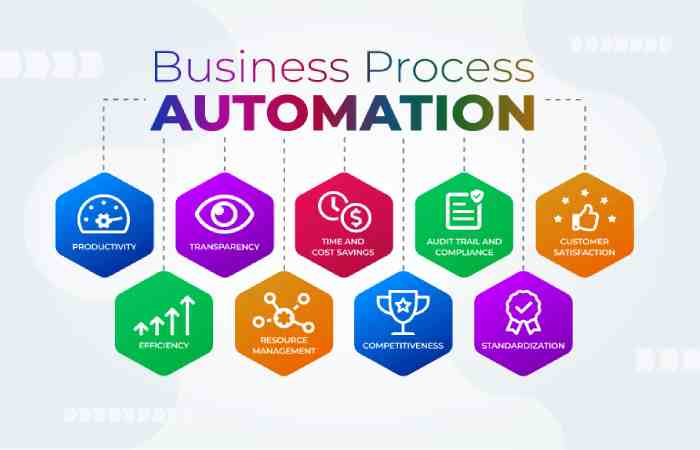
Running a business can feel like juggling too many balls at once — managing clients, handling finances, responding to emails, tracking performance, and keeping customers happy. But what if I told you that automation could handle most of this for you? Automating business operations isn’t just about saving time; it’s about making your life easier, cutting down repetitive work, and letting you focus on the things that actually grow your business.
Let’s dive deep into the top business operations to automate and why they’re absolute game-changers in 2025.
Why Automation is No Longer Optional
Before we jump into the specific processes, let’s understand why automation matters more than ever:
-
Time efficiency: Automation tools handle repetitive tasks faster than humans.
-
Fewer human errors: Systems follow exact rules, reducing costly mistakes.
-
Scalability: You can manage more clients, leads, and projects without hiring more people.
-
Better customer experience: Automation ensures consistency and quick responses.
-
Employee productivity: Freeing your team from mundane work lets them focus on creativity and strategy.
With technology evolving at lightning speed, not automating is like running a marathon with a backpack full of rocks.
1. Automate Your Customer Support
Chatbots and AI Assistants
Customer queries never sleep – and neither should your support system. With AI chatbots and virtual assistants, you can offer instant responses 24/7. These tools handle common questions, book appointments, or even escalate complex issues to human agents. Beyond text-based interactions, advanced solutions for AI voice customer outreach are transforming how businesses connect with their audience, providing human-like conversational experiences at scale.
Help Desk Automation
Platforms like Zendesk or Freshdesk automate ticket assignments, responses, and follow-ups. This means no customer request goes unnoticed, improving satisfaction and loyalty.
Pro tip: Train your chatbot to reflect your brand voice. A friendly tone can make automation feel more human.
2. Simplify Payroll and HR Tasks
Payroll Processing
Managing payroll manually every month is a nightmare — tax deductions, bonuses, attendance, etc. Tools like Gusto, ADP, and QuickBooks Payroll can automatically calculate salaries, generate pay slips, and deposit payments on time.
Attendance and Leave Tracking
Say goodbye to spreadsheets. HR software such as BambooHR or Zoho People automates leave requests, approvals, and attendance tracking. Employees can apply for time off through a dashboard, and managers can approve it with a click.
Onboarding Automation
From sending welcome emails to setting up accounts, onboarding new hires can be streamlined through workflow automation. This ensures every employee starts off right — without HR manually repeating the same steps each time.
3. Automate Your Marketing Efforts
Email Marketing
Email campaigns are still one of the most powerful ways to reach customers. Tools like Mailchimp, HubSpot, and ActiveCampaign can:
-
Send automated welcome emails
-
Nurture leads through drip campaigns
-
Re-engage inactive users
-
Segment audiences based on behavior
Social Media Scheduling
Posting manually on multiple platforms wastes time. Platforms like Buffer, Later, or Hootsuite let you schedule a month’s worth of posts, track performance, and reply to comments — all from one place.
Lead Scoring and Nurturing
CRM systems like HubSpot and Salesforce automatically track interactions and assign scores to leads. The hotter the lead, the higher the score — so your sales team knows who to prioritize.
4. Streamline Accounting and Invoicing
Accounting tasks can be some of the most repetitive and stressful parts of running a business.
Expense Tracking
Tools like Expensify and QuickBooks automatically categorize and track expenses by scanning receipts and syncing with bank accounts.
Automated Invoicing
Set up automated invoices for recurring clients using tools like FreshBooks or Wave. These systems send invoices, track payments, and even send polite reminders when payments are overdue.
Tax Compliance
Accounting automation ensures compliance with ever-changing tax laws. With automation, you can generate accurate tax reports without scrambling during tax season.
5. Automate Data Entry and Reporting
Manual data entry is boring and error-prone. By automating it, you can save hours and ensure accuracy.
Integration Tools
Use automation platforms like Zapier or Make (formerly Integromat) to connect your apps — for example:
-
When a lead fills out a form, it’s automatically added to your CRM.
-
When a sale happens, it updates your accounting software instantly.
Automated Reports
Dashboards like Google Data Studio or Power BI can pull data from multiple sources and display real-time analytics — sales, traffic, engagement, and more — without manual updates.
6. Automate Inventory and Order Management
If you run an e-commerce or retail business, automation can make your operations far smoother.
Inventory Tracking
Tools like TradeGecko or Zoho Inventory automatically update stock levels as sales happen, send alerts when inventory runs low, and even reorder items automatically.
Order Fulfillment
Connect your online store (Shopify, WooCommerce, etc.) with fulfillment services that automatically generate shipping labels, track packages, and update customers with delivery notifications.
This reduces human errors and ensures customers receive their products on time.
7. Automate Employee Communication and Collaboration
Automation isn’t just for clients — it can also help your team communicate better.
Internal Notifications
Slack, Microsoft Teams, and Google Workspace can automate alerts — for example, notifying a channel when a task is completed or when a new lead is added to the CRM.
Task Management
Project management tools like Asana, Trello, and ClickUp allow you to automate recurring tasks, reminders, and progress tracking.
This keeps everyone aligned without constant check-in meetings.
8. Automate Customer Relationship Management (CRM)
A CRM system is the backbone of your business relationships.
Lead Capture
CRM tools automatically capture leads from multiple sources — social media, website forms, emails — and store them in one place.
Follow-up Reminders
Set automated follow-ups for leads or customers who haven’t responded. This ensures no one falls through the cracks.
Personalization at Scale
Modern CRMs allow you to send personalized emails or offers automatically, based on user activity or past purchases — creating a tailor-made experience for each customer.
9. Automate Document Management
If your team spends hours searching for files or sharing documents, it’s time to automate document workflows.
Cloud Storage
Tools like Google Drive, Dropbox, or OneDrive automatically sync and back up documents across teams and devices.
E-Signatures
Platforms like DocuSign or HelloSign allow clients or partners to sign documents digitally, saving time and paperwork.
Automation can even trigger workflows — for instance, when a contract is signed, it automatically updates the CRM and alerts the finance team.
10. Automate Customer Feedback and Surveys
Post-Purchase Surveys
Automated surveys sent after purchases help you understand customer satisfaction without manual follow-ups.
Review Requests
E-commerce tools can automatically ask happy customers for reviews after successful transactions. This helps build social proof and improves your online reputation.
11. Automate IT and Security Operations
With cybersecurity threats rising, automation plays a key role in maintaining safety.
Automated Backups
Schedule automatic backups of your data and systems so you never lose important information.
Security Monitoring
AI-driven tools can automatically detect suspicious activity or breaches and alert the IT team instantly.
This keeps your business safe 24/7 without constant manual monitoring.
Beyond just security, these intelligent systems are transforming the entire landscape of IT operations. Organizations are increasingly leveraging comprehensive platforms to integrate various AI capabilities, from predictive analytics for infrastructure management to automated incident resolution.
This holistic approach to AI automation ensures that IT departments can proactively manage complex environments, reduce manual intervention, and significantly improve service delivery.
Such advanced solutions are crucial for maintaining operational excellence and driving strategic business outcomes in a rapidly evolving digital world.
How to Choose What to Automate First
Not everything needs automation right away. Start with the most repetitive, time-consuming tasks that don’t require human creativity.
Ask yourself:
-
Is this task done frequently?
-
Does it follow a predictable pattern?
-
Would automating it save time or reduce errors?
If the answer is yes, it’s a good candidate for automation.
The Human Touch Still Matters
While automation can do wonders, don’t forget the human element. Automated emails or messages should still sound authentic, and employees should feel supported — not replaced. Use automation to enhance human performance, not eliminate it.
Final Thoughts
Automation is no longer a luxury — it’s a necessity for businesses looking to scale efficiently. By automating repetitive processes like payroll, marketing, customer support, and accounting, you can reclaim valuable time, boost productivity, and focus on what really matters: growth.
Whether you’re a solopreneur or running a team of 100, start small, automate smartly, and watch your life become a whole lot easier.