


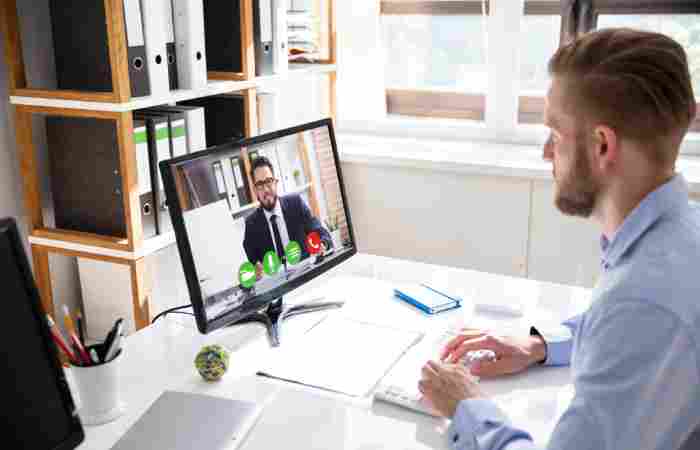
How to Look Professional on Video Conferencing Calls (With Tools, Examples & Setup Tips)
Video conferencing has become a permanent part of how we work — whether it’s client meetings, remote presentations, interviews, or team collaboration. But simply turning on your webcam isn’t enough. To make a strong impression and communicate effectively, you need to look and sound professional.
This guide goes beyond basic tips. You’ll learn practical techniques, recommended tools, lighting and camera setups, background hacks, and common mistakes to avoid — all backed by real examples.
1. Master Your Lighting Setup
Good lighting transforms your video quality instantly.
Recommended Lighting Tools
-
Ring Light (8–12″) — affordable and flattering
Example: Neewer Ring Light Kit -
Softbox Lights — balanced full-room illumination
Example: Fovitec Softbox Lighting Kit -
LED Panels with Adjustable Color Temp — great for video and streaming
Example: Elgato Key Light Air
Best Practices
-
Position lights in front of you (not behind)
-
Use soft, diffused light to eliminate harsh shadows
-
Avoid strong overhead lighting
Pro Tip: Place a second light at a 45° angle from your face to reduce shadows.
Example Setup
Fill Light (45° horizontal, opposite side)
Optional Backlight (behind you for depth)
2. Upgrade Your Camera (Webcam or Camera)
Many built-in laptop cameras produce grainy images.
Best Camera Options for Video Calls
| Budget | Camera | Why It Works |
|---|---|---|
| Entry | Logitech C920 / C922 | Great clarity up to 1080p |
| Mid-Range | Logitech Brio 4K | Excellent low-light performance |
| Premium | Sony Alpha (mirrorless) + capture card | Cinema-quality video |
Pro Tip: Position your camera at eye level, not below your chin.
3. Perfect Your Audio Quality
Good audio matters more than video. Even a slight echo or background noise lowers professionalism.
Recommended Microphones
-
USB Condenser Mic: Blue Yeti — plug-and-play, versatile
-
Lavalier Mic: Rode SmartLav+ — great for mobile presentations
-
Desktop Shotgun Mic: Rode NT-USB Mini — focused voice pickup
Background Noise Reduction Tools
-
Krisp.ai — removes noise from calls automatically
-
NVIDIA Broadcast — low-latency noise suppression (with NVIDIA GPU)
Audio Tip: Aim for a mic 3–6″ from your mouth and use a pop filter to reduce plosives.
4. Choose a Clean and Professional Background
Your background should look tidy and intentional — not distracting.
Background Options
✔ Plain wall with minimal décor
✔ Branded backdrop (for company calls)
✔ Bookshelves with neat arrangement
✔ Green screen with virtual background
Tools for Virtual Backgrounds
-
Zoom Virtual Backgrounds
-
Microsoft Teams Background Effects
-
OBS Studio + Chroma Key for advanced setups
Example Best Practices
-
Avoid messy rooms
-
Remove unrelated posters or clutter
-
Use subtle branded elements (logo, awards)
Pro Tip: Place a small plant or desk lamp behind you to add depth without distraction.
5. Improve Your On-Camera Presence
Looking professional isn’t just tech — it’s behavior.
Body Language Tips
-
Sit upright but relaxed
-
Make eye contact (look at the camera, not the screen)
-
Nod occasionally to show engagement
-
Keep hands visible near the frame bottom
Clothing Tips
-
Wear solid, muted colors
-
Avoid busy patterns that cause flicker or distortion
-
Dress as you would in a physical meeting
Pro Tip: Test your look on camera before a live call.
Optimize Your Internet Connection
Nothing kills professionalism like video lag and pixelation.
Connectivity Tools
-
Ethernet Cable — always faster and more stable than Wi-Fi
-
Wi-Fi Mesh Systems (e.g., Netgear Orbi, Google Nest Wi-Fi) for stronger home network coverage
-
Speed Tests: Fast.com, Speedtest.net
Minimum Recommended Speed
-
1080p video: 5 Mbps upload
-
4K video: 25 Mbps upload
Pro Tip: Close background apps consuming bandwidth (cloud backups, streaming, downloads).
7. Use Smart Conferencing Tools and Features
The platform you use also impacts your professionalism.
Productivity Enhancers
-
Zoom
-
Touch-up appearance filter
-
Virtual backgrounds
-
Waiting room to eliminate interruptions
-
-
Microsoft Teams
-
Live captions
-
Background blur
-
-
Google Meet
-
Noise cancellation
-
Grid view for team calls
-
Presentation Tools
-
Loom or Vidyard for pre-recorded demos
-
OBS Studio for advanced production
-
Canva Live for branded slides during live calls
8. Prepare Meeting Content With Purpose
Looking professional extends to how you communicate.
Content Preparation Checklist
Objective of the call
Agenda shared in advance
Slide deck with minimal text, bold headings
Prep notes + time allocations per topic
Tools for Slides and Visuals
-
Canva (easy templates)
-
Google Slides (real-time collaboration)
-
PowerPoint (advanced design features)
Pro Tip: Use slide previews and announcements sparingly — keep focus on interaction.
9. Example Scenarios and Scripts
Scenario: Client Presentation Intro (Script)
“Hi everyone, thanks for joining. Today we’ll walk through the Q2 campaign performance and recommended optimizations. I’ll start with key insights, then we’ll reserve 10 minutes for questions before closing.”
Scenario: Transitioning Between Speakers
“Great insight, Alex. Now I’ll pass it to Priya who will cover audience trends in detail.”
Scenario: Handling Tech Issues
“It looks like I briefly lost video — if you miss a slide, I’ll resend the deck right after.”
10. Common Mistakes and How to Avoid Them
| Mistake | Impact | Fix |
|---|---|---|
| Backlit window behind you | Silhouettes face | Use front lighting |
| Loud keyboard clicking | Distracting | Use silent keyboard or mic isolation |
| Headphones dangling | Unprofessional look | Use wireless earbuds or discrete mic |
| Unmuted noise | Interruptions | Use automatic mute feature |
A/B Testing Your Setup
Testing your setup empirically helps you fine-tune your on-camera presence:
What to Test
-
Lighting placement (45° vs direct front)
-
Camera resolution (1080p vs 720p)
-
Background clutter (plain vs branded)
-
Audio devices (built-in vs external mic)
Record test calls and review them with a checklist:
-
Clarity of video
-
Audio crispness
-
Background distraction
-
Professional posture
Why Looking Professional on Video Calls Matters
Before jumping into the tips, it’s worth understanding why your appearance and setup on video calls matter so much.
In face-to-face meetings, people subconsciously pick up on nonverbal cues—posture, tone, gestures, and even your attire. But in virtual meetings, most of these cues get filtered through a screen. That means the little things—like lighting, camera angle, and your tone of voice—carry more weight.
When you look professional, you:
-
Build credibility instantly
-
Show that you respect others’ time
-
Communicate confidence and reliability
-
Make your conversations more engaging
In short, a professional appearance helps you stand out in the digital crowd. Now, let’s explore how to make that happen.
1. Dress the Part: Look the Way You Want to Be Perceived
Even though you’re at home, the “work from bed” vibe won’t cut it for professional meetings. Dressing the part instantly shifts your mindset and helps others take you seriously.
What to Wear for Professional Video Calls
-
Opt for solid colors: Busy prints, stripes, or bright neon shades can distort on camera. Stick with navy, black, gray, or soft pastels.
-
Avoid shiny fabrics: They reflect too much light and can make you look washed out.
-
Dress fully: Even if the camera only shows your upper body, wearing full attire (yes, even pants!) helps you feel more put-together.
-
Add subtle accessories: A watch or simple jewelry can enhance your appearance without being distracting.
When you dress professionally, you automatically exude confidence and composure — even if you’re calling from your living room.
2. Perfect Your Lighting Setup
Lighting can dramatically affect how you appear on camera. Poor lighting can make you look tired, shadowed, or even unprofessional.
Tips for Flawless Lighting
-
Face a window: Natural light is the best light source. It softens your features and makes your face look clear and inviting.
-
Avoid backlighting: Sitting with a window behind you creates harsh shadows and turns you into a silhouette.
-
Use artificial light wisely: If you work in a dim room, invest in a ring light or soft LED lamp. Position it at eye level for even illumination.
-
Test before you start: Open your camera app before joining the call to make quick lighting adjustments.
A well-lit face conveys clarity and attention — both key aspects of looking professional.
3. Curate a Clean and Neutral Background
Your surroundings speak volumes about your professionalism. A cluttered or distracting background can take the focus off you and your message.
How to Create the Perfect Background
-
Keep it tidy: Clear away unnecessary items like laundry, dishes, or cluttered shelves.
-
Choose a neutral setting: A plain wall, a few framed pictures, or a bookshelf looks organized and professional.
-
Be mindful of personal items: Remove anything too private or controversial.
-
Use virtual backgrounds with care: If your space isn’t ideal, choose a subtle virtual background (like an office or blurred setting). Avoid tropical beaches or animated images — they can look unprofessional.
Your goal is to make you the focal point, not your surroundings.
4. Maintain Eye Contact Like a Pro
Eye contact is a powerful communication tool. On video calls, it builds connection and engagement — even through a screen.
How to Improve Eye Contact Virtually
-
Look into the camera, not the screen: It feels strange at first, but it gives the impression that you’re looking directly at your audience.
-
Place the camera at eye level: Stack a few books or use a laptop stand to raise your webcam to the right height.
-
Center yourself on screen: Position your head and shoulders comfortably in the frame — not too close and not too far.
-
Avoid distractions: Silence notifications and close unrelated tabs so your attention stays on the meeting.
This simple adjustment makes your communication more personal and effective, leaving a strong impression on clients and colleagues alike.
5. Focus on Sound and Audio Quality
If your video looks great but your sound is poor, people will struggle to follow you. Clear audio is one of the most underrated aspects of professionalism.
Audio Best Practices
-
Use a headset or external microphone: Laptop mics often pick up background noise. A good headset ensures crisp, clear sound.
-
Find a quiet space: Avoid echoey rooms or noisy environments like kitchens.
-
Mute when not speaking: This prevents background interruptions and shows respect for others on the call.
-
Check your mic before joining: Do a quick sound test to confirm everything’s working.
If you frequently attend meetings, consider investing in a noise-canceling microphone — it’s a game-changer.
6. Pay Attention to Body Language and Posture
Nonverbal communication still plays a big role, even on camera. Your posture, gestures, and facial expressions influence how professional you appear.
Body Language Tips for Video Calls
-
Sit up straight: Slouching gives off a lazy or disinterested vibe. Keep your back straight and shoulders relaxed.
-
Smile genuinely: A friendly smile makes you approachable and shows enthusiasm.
-
Use natural gestures: Don’t wave your hands too close to the camera; use calm, intentional movements.
-
Keep still: Avoid excessive movement or fidgeting—it can be distracting on camera.
Maintaining open, confident body language signals that you’re alert, engaged, and professional.
7. Be Prepared and On Time
Nothing says “unprofessional” like logging into a meeting five minutes late or struggling to unmute your mic. Preparation ensures a smooth experience and builds trust with everyone involved.
How to Be Meeting-Ready
-
Test your setup: Check your camera, lighting, and microphone before the call.
-
Join early: Log in 2–3 minutes before start time to settle in.
-
Keep necessary materials handy: Have your notes, documents, or presentation slides ready.
-
Minimize interruptions: Inform family members or roommates ahead of time if you’re joining an important call.
When you show up on time and prepared, you communicate respect and professionalism — qualities every employer or client values.
Bonus Tip: Match Your Energy to the Conversation
Looking professional isn’t just about visuals—it’s about presence. Your tone of voice, expressions, and engagement level all influence how others perceive you.
Energy and Engagement Tips
-
Speak clearly and with confidence: Avoid mumbling or speaking too fast.
-
Use pauses effectively: Give others time to respond or reflect.
-
Stay animated (but not overly): Slight nods, smiles, or gestures help show interest.
-
Be authentic: Don’t overdo formality; just be polished and genuine.
The goal is to balance professionalism with warmth — that’s what makes your communication feel human and impactful.
Common Mistakes to Avoid on Video Calls
Even the most experienced professionals can make simple virtual meeting mistakes. Here are a few pitfalls to avoid:
-
Eating or drinking during calls (except water)
-
Using your phone mid-meeting
-
Poor camera angles (looking down at the camera feels unflattering)
-
Background noise like TV, barking dogs, or typing sounds
-
Talking over others or not muting when required
Avoiding these small errors keeps your virtual interactions seamless and polished.
Technical Tips to Enhance Your Appearance
Want to take your professionalism up a notch? Here are a few tech-savvy tricks to improve your overall setup:
-
Upgrade your webcam: A 1080p camera offers better clarity.
-
Adjust camera settings: Increase exposure slightly for better brightness.
-
Use video filters lightly: Tools like Zoom’s “Touch Up My Appearance” feature can smooth your image subtly.
-
Check internet speed: A stable connection ensures high-quality video without freezes.
These upgrades show you value presentation — a sign of modern professionalism.
Conclusion
Looking professional on video conferencing calls is a combination of technology, preparation, and presence. It’s not just about how you appear — it’s about how effectively you communicate and connect with your audience.
By implementing the specific tools, setup tips, scripts, and examples above, you not only look polished — you feel more confident, reduce technical friction, and create a better impression on clients, team members, and prospects.